How to digitize old home movies: every format explained
A clear guide to identifying every family tape and film reel, deciding between doing it yourself or using a lab, and saving your footage safely.
Dan Warner · 1 October 2026 · 5 min read

To digitize old home movies, you first need to identify the exact film reels or video tapes sitting in your box. Once you know the formats, you can decide whether to run playback decks and capture equipment yourself or send the collection to a reputable lab. Every format requires a specific machine, and older analog media degrades with each passing year.
Identifying your home movie formats
The hardest part of saving old footage is often figuring out what you have. Over several decades, camera makers released dozens of competing shapes and sizes. Grouping your media by format is the first real step.
8mm and Super 8 film reels
If your recordings are wound around circular plastic or metal spools with clear ribbons running through them, you have motion picture film. These silent rolls come in small reels that hold only a few minutes, or larger reels spliced together later.
Standard 8mm film features rectangular sprocket holes along one edge, sitting right beside the frame. Super 8 film, released later, uses much smaller, square sprocket holes positioned closer to the center of each image, giving you a wider picture. Some Super 8 film has an orange or brown magnetic stripe along one edge for recorded sound. If you are handling these reels, you can read our guide on how to digitize Super 8 film.
16mm film reels
Reels that are double the width of 8mm are 16mm film. Many families used 16mm for special milestones like weddings in the middle decades of the twentieth century. The film looks wide, crisp, and robust, with sprocket holes along either one or both edges.
VHS and VHS-C tapes
Standard VHS cassettes are large black plastic rectangles roughly the size of a paperback book. They hold wide magnetic tape between two white internal reels. Most people used them in living room players or with full-sized shoulder camcorders.
VHS-C cassettes are compact versions designed for lighter handheld camcorders. They are roughly the size of a deck of cards. The magnetic tape inside is identical in width to standard VHS tape, which allowed people to slide the small cassette into a motorized adapter shell and play it straight from a living room VCR. Our guide on how to convert VHS to digital covers the playback devices you need for both varieties.
Betamax video cassettes
Betamax was the chief rival to VHS. Betamax tapes are slightly smaller and noticeably heavier than standard VHS cassettes. Look for the distinctive shell design and the small sliding latch on the front flap. If your tape looks like an undersized VHS cassette that does not fit into a standard player, it is likely Betamax.
Video8, Hi8, and Digital8
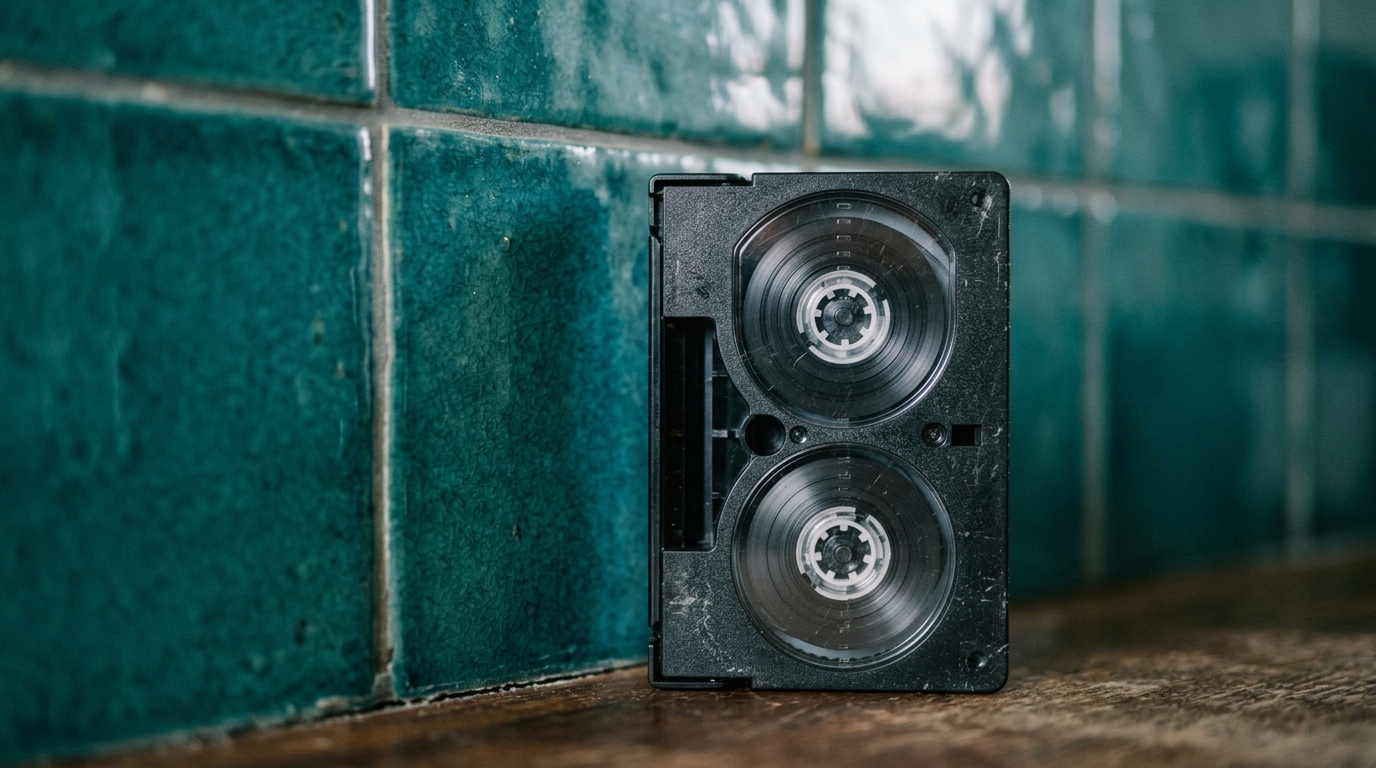
These tapes are roughly the size of an audio cassette, with thick, durable shells. Video8 was the original analog format, Hi8 offered sharper analog picture quality, and Digital8 stored digital sound and picture onto the same tape shell. Because they all share the exact same outer dimensions, you often need to read the molded plastic labels on the back of the cassette to tell them apart.
MiniDV cassettes
MiniDV cassettes are small, lightweight tapes about the size of a matchbox. They were popular in consumer camcorders around the turn of the century. Although MiniDV recorded digital data, the tape itself is fragile magnetic ribbon that can stick, snap, or lose its charge over time.
Sorting your collection before digitizing
Before buying gear or paying a service, sort your collection on a clean table. Group your media by format first, then arrange the tapes chronologically using handwritten dates, event notes, or camcorder label numbers.
This simple sort reveals what you actually have. You might find that forty boxes hold only six true family events, with the rest filled with recorded television shows or blank runs. Spotting blank or commercial tapes saves you hours of capture time and unnecessary lab fees. If you are planning an event, this is also the moment to pick out key celebrations for a wedding anniversary film or birthday tribute.

The choice between home capture and a professional lab
Both paths work, but they involve different investments of time, patience, and money.
Digitizing at home
Doing the transfer at home gives you complete privacy and total control over your original tapes. You will need:
- A fully functioning playback machine for each tape format, such as a clean VCR or an original camcorder with working video outputs.
- A USB video capture device that connects the player RCA or S-video outputs to your modern computer.
- Capture software to record the incoming signal into modern video files.
For film reels, home capture requires an automated frame-by-frame scanner. These machines take a photograph of every individual frame of film as it moves through the gate, stitching the photos into a digital video file. The process takes real patience, because analog video transfers happen in real time: a two-hour tape takes two full hours to capture.
Using a professional lab
If you have fragile film, dozens of mixed formats, or no desire to scour used equipment markets for working camcorders, a professional transfer service is the practical choice. Labs use professional playback decks with time-base correctors that stabilize unstable signals, along with commercial film scanners that handle fragile splices gently. You ship or hand over your media, and the lab returns your original tapes alongside digital files on a hard drive or through a download link.
Storing your files safely
Once your recordings are digital, protect them from drive failure and data loss. Keep your primary working copies on an external hard drive, place an identical duplicate on a secondary drive kept in another house, and upload a backup to a reliable cloud storage account. Once your footage is safely stored on your computer, you can follow our ideas on what to do with old home videos to keep them organized and accessible for relatives.
Bringing your old footage to life
Raw home movie captures are often long, quiet, and full of camera shake, ground pans, and unfinished thoughts. For a family gathering, you usually want the brightest moments gathered into something enjoyable to watch together.
Linof turns your family photos and digitized video clips into a polished short film with music and titles, ready in minutes, and your first photo animation is free. It gives you a simple way to celebrate an important date without spending weeks editing raw video clips on your own.
Pick up the first tape in your box, identify what format it is, and start bringing those quiet memories back to your family screen.
Questions
How can I tell the difference between 8mm and Super 8 film reels?
Look closely at the sprocket holes running down the edge of the film ribbon. Standard 8mm film has larger rectangular holes right next to each frame, while Super 8 film has smaller square holes centered beside the frame, allowing for a wider picture area.
Do old VHS and camcorder tapes lose quality over time?
Yes, magnetic tapes degrade naturally as the chemical binder breaks down and the magnetic charge weakens. Tapes can suffer from signal loss, demagnetization, mold, and brittleness, so digitizing them sooner prevents permanent loss of family memories.
What video file format should I choose when digitizing home movies?
MP4 using the H.264 video codec is the most versatile format for home movies because it plays on almost every phone, computer, and television. For archival storage or detailed video editing, you can request uncompressed formats like ProRes, though file sizes will be much larger.
Written by
Dan Warner