In this article▾
To safely remove old photos from sticky albums, start by pulling the paper page toward you rather than yanking the picture upward. If a print resists, slide unwaxed dental floss beneath one corner and work it through the glue with a gentle sawing motion. Never force a stubborn edge, because tearing the paper base can ruin the original print forever.
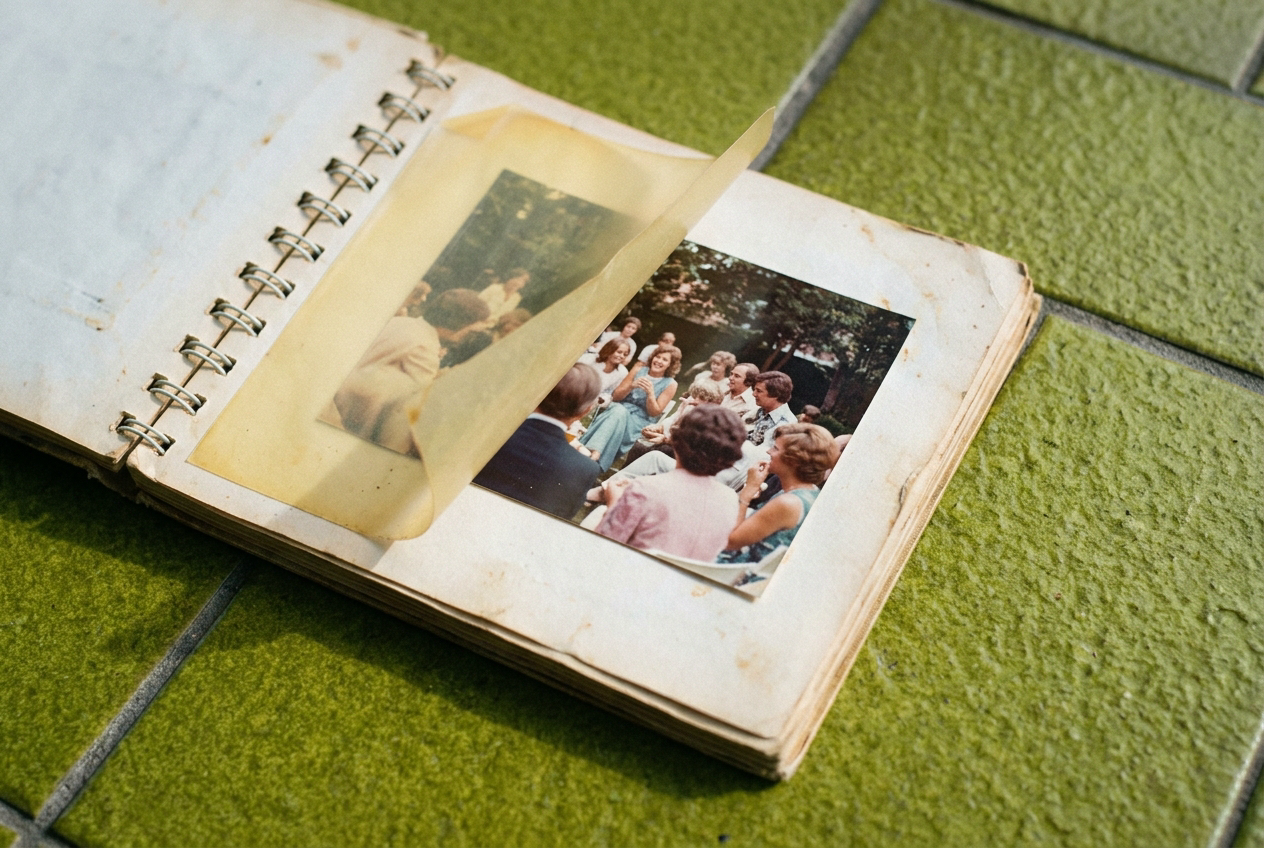
Magnetic photo albums became a staple in family homes decades ago. The name is misleading, because there are no magnets involved. Manufacturers coated heavy cardboard sheets with strips of synthetic adhesive, laid photographs on top, and sealed everything behind clear plastic film. Over time, that glue chemically degrades. It seeps into the paper fibers of the prints, turns yellow, and hardens into a grip that feels like concrete. Learning the history of the family photo album explains why millions of households now face this exact dilemma.
Before you start pulling items apart, take a moment to prepare your workspace and preserve what you have.
Digitize the page before you touch anything
Accidents happen even when you work slowly. Adhesive might bond so tightly to photographic emulsion that lifting it pulls the top layer of paper right off. Before applying any mechanical force, take a high-resolution photograph of the entire page.
Use your phone camera or a digital camera in bright, indirect light to avoid glare on the plastic sheet. Keep the camera flat and parallel to the page to prevent perspective distortion. If you have a flatbed scanner with a lid that lifts high enough, scan the entire open album page directly. If you capture a clear digital copy now, you will never lose the memory, even if the physical print tears later.
Safe mechanical methods to loosen photos
Once you have digital backups, peel back the clear plastic film over the photos slowly. Pull the plastic flat against itself, parallel to the page, rather than lifting straight up. This reduces the upward pull on the prints underneath. If the plastic clings to the face of a photo, stop immediately and apply gentle warmth, as explained below.
If the plastic lifts clean away, try these gentle manual steps.
1. Peel the album page, not the print
When we try to remove a picture, our instinct is to grab the photograph and pull upward. That bends the print and concentrates tearing force right at the point where the paper meets the glue. Instead, keep the photograph flat against your table. Slide your fingers underneath the cardboard page and gently curve the cardboard backward away from the print. Bending the album card often pops the rigid photo free with zero tension on the paper print itself.
2. The dental floss saw
This is the most reliable tool for stubborn adhesive:
- Cut a piece of plain, unwaxed dental floss or microfilament fishing line about twelve inches long.
- Wrap the ends securely around your pointer fingers.
- Position the line against the adhesive layer underneath one corner of the photo.
- Pull the floss taut against the album board.
- Move your hands back and forth in a slow, sawing rhythm while pulling forward.
Keep the line as close to the album card as possible. You want the string to cut through the brittle glue layer, not through the back of the photo. If the floss breaks, replace it with fresh line and continue. Never use waxed floss, because the wax can rub off onto the back of the print.
3. A thin micro-spatula or baker's spatula
If dental floss gets caught on thick glue ridges, an artist's micro-spatula or a very thin metal palette knife can help. Slide the flat blade under an already loosened corner, resting flat on the album card. Never dig the tip upward into the photo. Wiggle the blade slowly side to side to slice through the adhesive strips. Work from all four corners inward toward the center.
Using temperature to soften old glue
When mechanical sawing is not enough, temperature shifts can alter the adhesive. Heat softens petroleum-based glues, while cold makes rubbery adhesives brittle enough to snap loose.
Gentle warmth with a hairdryer
Heat is the safest thermal method for sticky pages. Set a standard hairdryer to low heat and medium airflow:
- Hold the dryer nozzle at least eight inches away from the back of the album page.
- Warm the backside of the cardboard sheet behind the stuck photo for twenty to thirty seconds.
- The heat transfers through the porous board and warms the adhesive strips without heating the photograph directly.
- Check the front of the photo to see if the glue has softened.
- Slide your dental floss or spatula beneath the corner while the glue is warm and pliable.
Never blow hot air directly onto the face of the photograph. Direct heat can warp the emulsion, melt modern glossy coatings, and curl the photo into a tight cylinder.
Brief freezing
If warmth turns the adhesive into a gummy mess that pulls paper threads, cold might work better. Cold makes certain aged adhesives crystalline and brittle:
- Place the entire album, or an individual page if it detaches, inside a zip-top plastic freezer bag.
- Squeeze out excess air and seal the bag tightly to keep moisture away from the prints.
- Place the bag in your home freezer for two to three hours.
- Remove the album and immediately work on the stuck print using a spatula or by gently flexing the board.
Cold glue often loses its tack and pops loose in a clean release. If condensation begins to form on the page as it warms up to room temperature, stop immediately and let the album air dry completely before trying again.
What you should never do to sticky albums
Many household tips online will ruin your prints permanently. Avoid these common mistakes:
- Do not use water, steam, or liquid solvents like alcohol, acetone, or nail polish remover. Moisture causes photographic paper to buckle, dissolves water-soluble dyes, and can wash away facial features entirely.
- Do not soak pages in bowls of water. While old stamps can sometimes be soaked off paper, photographs contain multi-layered gelatin emulsions that will swell, separate, and rot.
- Do not use sharp knives, razor blades, or box cutters. The sharp edge easily cuts through the photo paper backing or slips and slices across the face of the image.
- Do not spray adhesive remover sprays directly onto the page. The oils in commercial glue removers soak into the paper and leave permanent dark grease spots.
Cleaning and preserving your rescued photos
Once your prints are free, their backs might still feel tacky with residual glue. If you stack them immediately, they will bond to each other and create a new mess.
Lay the freed photos face down on a clean surface. Gently rub any remaining glue rolled up into little balls using clean, dry fingertips. If the residue remains sticky, dust the back with a tiny pinch of pharmaceutical-grade unscented talc or cornstarch using a soft makeup brush. Dusting neutralizes the tackiness so the print will not stick to other surfaces.
Store your loose photos in acid-free paper envelopes or archival polypropylene sleeves. Keep them away from humid basements and hot attics.
Rescuing these original prints lets you bring family memories back into circulation for milestone celebrations. Linof repairs old photos, restores their colour, and animates them into short moving shots set to music for big birthdays, anniversaries, and family events, and your first animation is free. You can use these restored treasures when you follow a guide for choosing photos and videos for your film to share with the whole room.
Take your time with every single page. These albums were built to hold memories fast, but with patience and the right techniques, you can free your family pictures safely and protect them for years to come.
Questions
Can I use lighter fluid or rubbing alcohol to remove photos from magnetic albums?+
You should never use liquids like alcohol or lighter fluid directly on photos. These solvents can dissolve photographic dyes, warp the delicate paper backing, and leave permanent oily stains. Stick to dry tools like dental floss and mild heat instead.
Why do old magnetic albums damage photographs?+
Vintage albums used cheap acidic glues and plastic covers made from PVC. Over the years, the glue turns acidic and migrates into the photo fibers, causing yellowing, brittleness, and an aggressive grip that fuses the print to the cardboard page.
What should I do if a photo is stuck to the plastic cover sheet?+
Do not rip the plastic away, or you will pull the image emulsion off the paper base. Warm the front of the plastic gently from several inches away with a hairdryer on low heat to soften the bond, then peel the sheet slowly back flat against itself.
Written by
Rebecca Lee