Animating an old photo: what it is, and what it is not
Animating an old photo creates a short moving shot from a still print. Here is how it works, what it cannot do, and how families use it with care.
Eden Karpman · 1 October 2026 · 6 min read
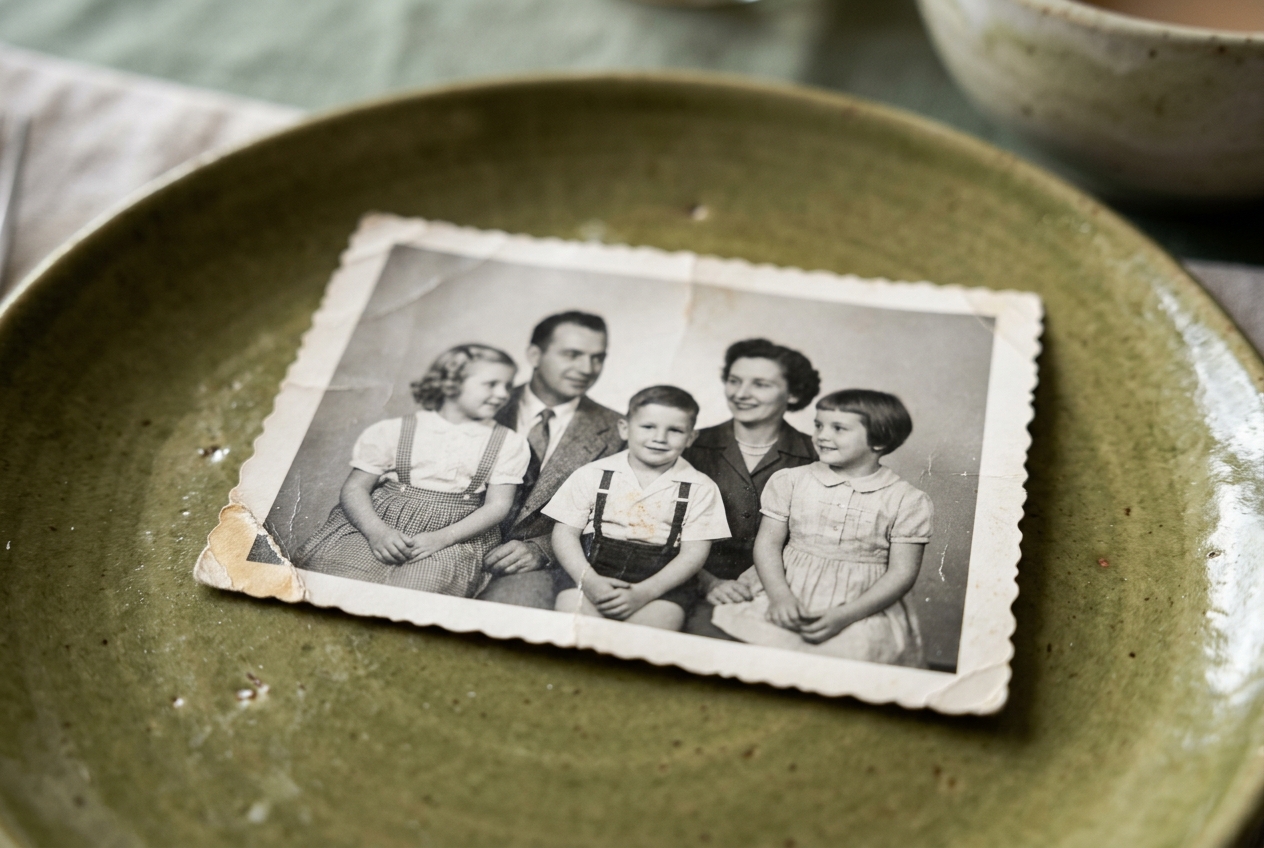
Animating an old photo means turning a single still image into a short moving shot. It takes the face, posture, and lighting from your original print and estimates how that person might have moved in that exact split second. It is not an archival video recording, and it does not replace the original photograph in your family history.
When you are planning a gathering or looking through a box of prints, you might wonder if motion belongs in your tribute. Seeing an ancestor blink, tilt their head, or offer a slight smile can feel startling at first. Understanding what the software actually does helps you decide whether to include these moving moments in your project.
What happens when a photo moves
Every photograph is an isolated fraction of a second. Before the shutter opened and after it closed, the person in the frame was breathing, glancing across the room, or shifting their weight. Photo animation software looks at the lines, shadows, and contours of the face to fill in a few frames of natural motion.
- The software maps the key landmarks of the face: eyes, eyelids, corners of the mouth, jawline, and nose bridge.
- It calculates subtle three-dimensional depth based on the highlights and shadows in the print.
- It introduces small, natural movements, such as a gentle turn of the head, a soft blink, or a slight loosening of the mouth into a smile.
- It renders a brief video clip, usually lasting three to five seconds, that loops or transitions into the next scene.
This process does not invent a new scene or place your relative in an unfamiliar room. It simply provides a short moving shot made from the photo, bringing a still moment into the flow of a modern presentation.
What an animated photo is not
To make good decisions for an event, you need clear boundaries about what this tool cannot provide. Honesty about the medium keeps family memories grounded.
- It is not a documentary record. The software does not know how your grandfather actually laughed, or the precise quirk of his eyebrows when he told a joke. The movement is an artistic interpretation of how a human face behaves, not historical evidence.
- It is not a voice recording. The animation creates silent visual movement. It cannot reconstruct speech, and adding synthetic voices often breaks the feeling of genuine memory.
- It is not a replacement for original prints. An animation belongs in a viewing experience, such as a screen at a dinner. The true heirloom remains the original paper print, slide, or negative preserved in your collection.
When you treat the animation as a visual transition rather than a piece of historical evidence, it finds its proper place. It helps an audience connect with someone who lived long before home video cameras existed.
Why families choose to animate old photos
Most people do not animate photos just to store them on a hard drive. They do it because an important date is on the calendar.
When building a visual presentation for a milestone birthday or an anniversary, older prints often sit side by side with modern video clips. A silent, static print can feel distant to younger grandchildren who grew up surrounded by high-definition motion. Turning a still portrait of a great-grandparent into a moving portrait bridges that gap. It catches the eye of a child in the audience and reminds everyone that the person on screen was once young, active, and present.
This technique works particularly well when honoring someone who passed away before video cameras were common. In a memorial film, seeing a quiet movement from an early portrait can bring a gentle hush to the room. It gives the gathering a shared moment of pause before the story moves forward.
Choosing the right pictures to animate
Not every image works well with motion tools. Starting with the right source material produces far more natural results.
Look for clear eye contact
Photos where the person looks straight toward the camera, or just slightly off-center, produce the cleanest movement. If the face is turned sharply in profile, the software has to guess what the hidden side of the face looks like, which can lead to odd distortions around the ears and cheekbones.
Pick clean, sharp portraits
Faded, blurry, or tiny group shots struggle in animation tools. Choose solo portraits, school pictures, military portraits, or wedding photos where the face takes up a generous portion of the frame. If the original print has dust, creases, or faded contrast, you can restore old family photos first so the facial features are sharp before adding movement.
Avoid busy backgrounds and obstructions
Hats with low brims, heavy veils, thick sunglasses, or hands resting against the chin can confuse the edge detection of the software. Clean portraits with simple backdrops yield smooth, believable motion.
Keeping the result respectful
When introducing movement to historical family media, restraint is your best guide. You want the room to focus on the person, not the visual effect.
- Use animation sparingly. A ten-minute film does not need fifty moving portraits. Three or four well-placed animations across the entire film create a meaningful accent. Too many can overwhelm the audience and make the presentation feel repetitive.
- Let the stillness speak. Some photos are already complete works of art. A dramatic black-and-white portrait with strong character lines often carries more power when left exactly as the photographer framed it.
- Match the mood of the event. For a golden wedding anniversary, animating the couple's wedding portrait from fifty years ago can be an unforgettable centerpiece. Learn more about structure in our guide to making a wedding anniversary film.
- Pair the clip with the right music. Because these clips are silent, the soundtrack carries the emotional weight. A gentle acoustic guitar or piano piece helps the moving portrait feel natural rather than theatrical.
Linof helps you turn your family prints and home clips into a finished movie with music, titles, and restored color, and your first animation is free so you can see how it looks before deciding on more.
Finding the balance for your family
Every family approaches technology with different comfort levels. Older relatives might find an animated portrait deeply touching, while others may prefer to look at the unaltered physical print in an album. Both perspectives are valid.
Before showing a moving photo to a large crowd at a memorial service or a big party, consider sharing it privately with an immediate family member first. Ask them how it makes them feel. If it brings a warm smile of recognition, you know it belongs in your final cut. If it feels unfamiliar to them, you can keep the original photo as a still frame and let the music carry the scene.
Technology works best when it serves human connection. A moving photo cannot rewrite the past, nor should it try to. Used with thought, care, and clear intentions, it offers a brief, beautiful window into the vitality of the people who shaped your life.
Questions
Does animating an old photo change the original file or print?
No, the animation process never alters your original photograph or scanned file. It creates a brand-new, separate video clip from the image, leaving your original photograph untouched.
What kind of photos work best for animation?
Clear, well-lit portraits where the person is facing the camera work best. Avoid pictures where hands cover the chin, heavy shadows obscure the eyes, or the face is turned sharply to the side.
Can you animate photos with multiple people in them?
Yes, many tools allow you to animate faces in a group picture. However, focusing on one or two people at a time usually produces the cleanest and most natural result.
Written by
Eden Karpman